
Home/Solutions/OT security
For the OT security lead
Govern the plant on the same record as the office.
Zones and conduits, security levels against target, the national OT controls, vendor remote access and exceptions with expiry dates, owned by the people who run the plant and visible to the CISO.
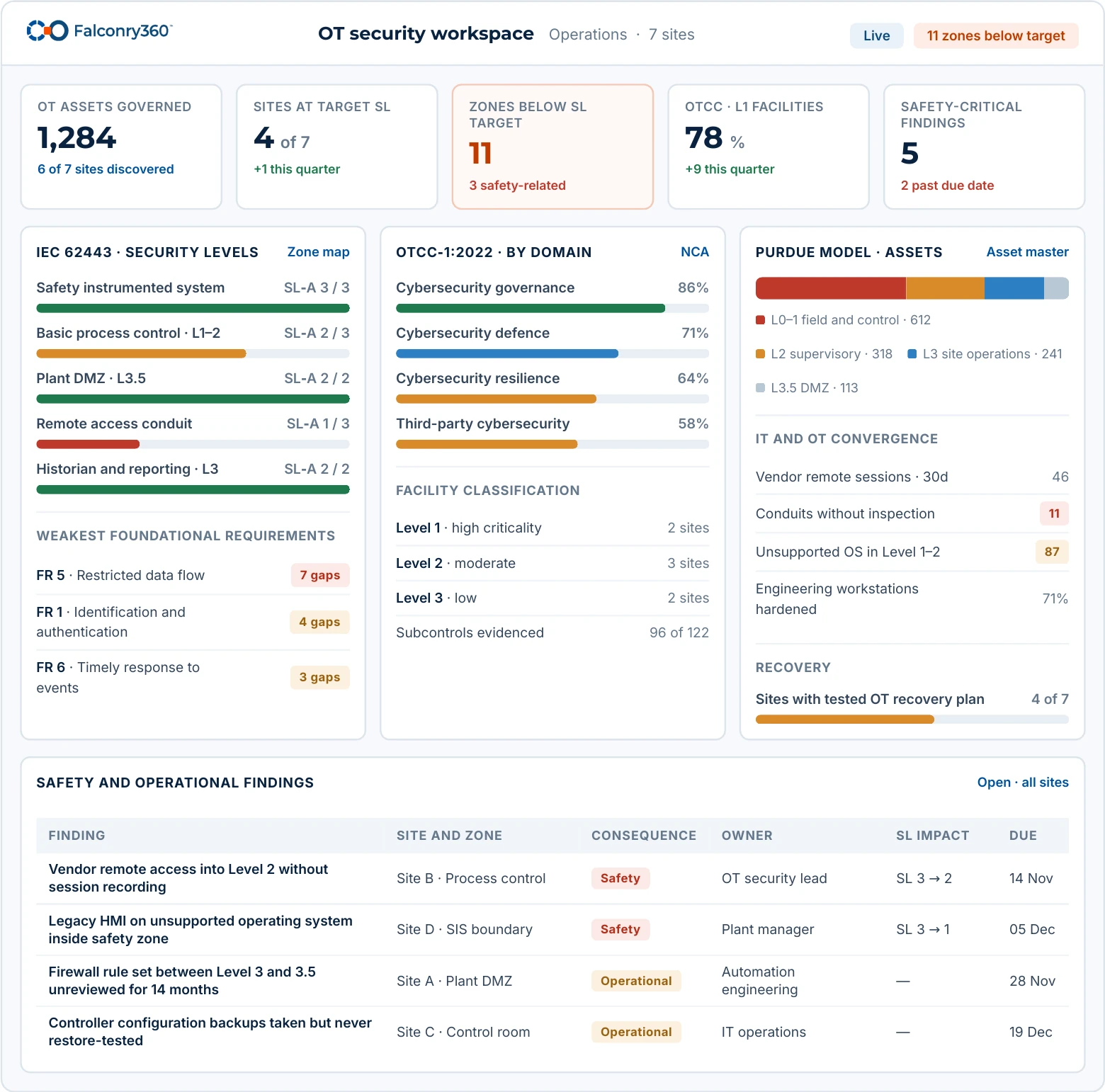
One picture of IT and OT
The CISO and the plant manager see the same position, scoped to what each owns.
Gaps with owners and dates
Every security-level gap and every exception has an owner and an expiry date.
Vendors under control
Remote access approved, time-bound and reviewed, with vendors assessed like any supplier.
How it automates
Watch it run.
Each step happens on the same record, so the next one starts where the last one finished.
Step 1 · Register
- Asset register imported for 7 sites
- The OT Asset and Zone agent proposed zone assignments
- Plant engineers confirmed 94% and amended the rest
Step 2 · Target
- Target security levels agreed per zone
- Achieved levels assessed against IEC 62443-3-3
- Remote access conduit flagged at SL 1 against a target of 3
Step 3 · Assess
- OTCC-1:2022 assessed per site
- Evidence requests sent to site owners
- 4 critical gaps raised with dates
Step 4 · Control
- Vendor access approved per session and time-bound
- 2 expired patch exceptions escalated to the site manager
- Compensating controls recorded for 14 exceptions
Step 5 · Report
- OT position added to the CISO workspace
- Site managers see their own findings only
- OT risk included in the Board trust report
Try it
Explore one site’s zones.
Select a zone to see its security level against target, the gap and who owns it. Dashed marks show the target level.
At target. Changes need the safety engineer and the OT security lead.
One level below target: segmentation between controllers and engineering workstations is incomplete. Owner: plant manager, due 30 Jan.
Below target: two firewall rules allow broad access from the enterprise network. Owner: OT network lead, due 15 Dec.
Two levels below target: shared vendor accounts without MFA. Safety-related. Owner: OT security lead, due 5 Dec.
At target. Data flows to the enterprise one way only.
What runs on Falconry360
Everything OT security needs, in one place.
Asset and zone register
OT assets assigned to zones and conduits in line with IEC 62443-3-2.
Security levels
Target and achieved levels per zone, with the gap tracked as risk.
National OT controls
NCA OTCC-1:2022 and other national requirements evidenced by site.
Remote access governance
Vendor and engineer access approved, time-bound and reviewed.
Patching and exceptions
Compensating controls, owners and expiry dates where a patch cannot be applied.
Recovery and safety
OT playbooks and recovery tests linked to the safety case.
FalconryX agents on this work
The legwork, done. The judgement, yours.
Every agent output shows its sources and goes to a named reviewer before it counts.
- OT Asset and Zone
- Third-Party
- Evidence
- Resilience
Standards
- IEC 62443-2-1
- IEC 62443-3-2
- IEC 62443-3-3
- NIST SP 800-82 Rev. 3
Regulation
- NCA OTCC-1:2022
- UK NIS Regulations (OES)
- NERC CIP
- TSA pipeline security directives
Run it your way
Platform, people, or both.
Client-led
Your team runs it on Falconry360, with our content, libraries and support.
Co-managed
We run the heavy lifting; your team owns decisions and the relationship with the business.
Fully managed
Our specialists run it end to end inside your tenant, reporting to your CISO, DPO or risk committee.
Questions
What people ask first.
Do you monitor our OT network?
No. Network monitoring and detection stay with your OT security operations. FalconryTrust governs, evidences and reports.
Will this work across several sites?
Yes. Each site carries its own zones, findings and owners, rolled up for the CISO and the Board.
Which standard should we start with?
Whichever you answer to. Most clients run IEC 62443 and the national OT controls together on one record.
See OT security on your own perimeter.
A thirty-minute working session with your team, mapped to the regulators you answer to.